
Spotify-Playlist-Downloader
So laden Sie Spotify-Titel, -Playlists und -Alben online herunter
Spotify-Songs sofort herunterladen und offline hören
Schritt 1
URL kopieren
Schritt 1: Öffne die Playlist oder das Album auf Spotify und kopiere die URL des Songs, den du als MP3-Datei speichern möchtest.
Schritt 2
URL einfügen
Schritt 2: Besuchen Sie SpotifyMate, fügen Sie die URL des Songs in das Downloadfeld ein und wählen Sie MP3 als Ausgabeformat.
Schritt 3
Songs herunterladen
Schritt 3: Klicken Sie auf die Schaltfläche „Herunterladen“ rechts und warten Sie, bis der Spotify Downloader die Konvertierung für Sie abgeschlossen hat.
Leistungsstarker Spotify-Playlist-Downloader
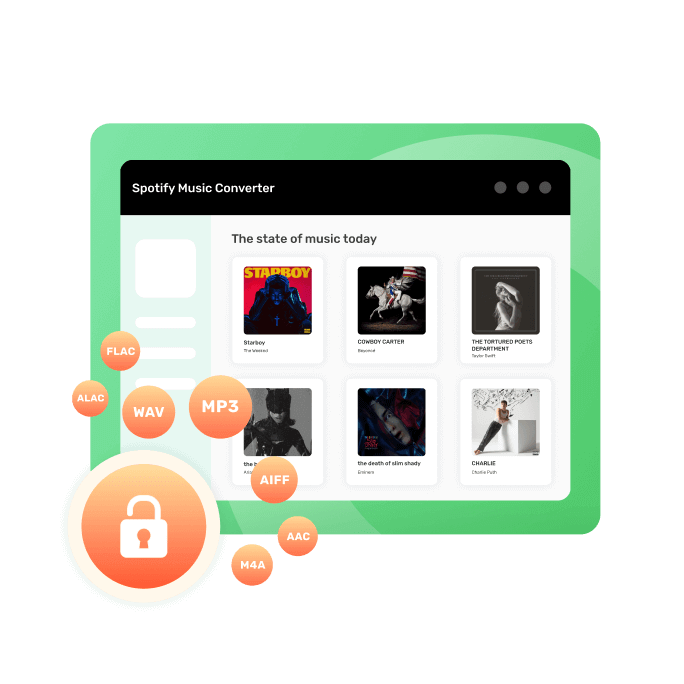
Der Spotify Playlist Downloader ist ein kostenloser Online-Spotify-Downloader, mit dem Nutzer Spotify-Playlists schnell und einfach für die Offline-Wiedergabe herunterladen können. Dank der Unterstützung zahlreicher Audioformate wie MP3, M4A, WAV und FLAC genießen Nutzer flexible Wiedergabemöglichkeiten auf Smartphones, Tablets, Computern und MP3-Playern. Die benutzerfreundliche Oberfläche ermöglicht es jedem, einen Spotify-Playlist-Link einzufügen und die Titel mit wenigen Klicks herunterzuladen. Wichtige Metadaten wie Songtitel, Interpret, Albumname und Cover bleiben erhalten, sodass die Musikbibliothek stets übersichtlich organisiert ist. Da der Downloader direkt im Browser funktioniert, ist keine Softwareinstallation erforderlich – ideal für alle Plattformen, einschließlich Windows, macOS, Android und iOS.
Der Spotify Playlist Downloader ist schnell, benutzerfreundlich und installationsfrei und bietet eine reibungslose Möglichkeit, Wiedergabelisten zu speichern, Wiedergabebeschränkungen aufzuheben und jederzeit offline Musik zu genießen.
Einfache Downloadmethode
Öffnen Sie einfach die Spotify-App oder -Website, wählen Sie den Song aus, den Sie als MP3-Datei speichern möchten, kopieren Sie den Link, besuchen Sie die SpotifyMate-Website, fügen Sie den Link ein und klicken Sie auf die Schaltfläche „Herunterladen“.
PWA-Technologieanwendung
SpotifyMate nutzt PWA-Technologie, um Ihnen ein besonders effizientes und zeitsparendes Erlebnis zu bieten. Es unterstützt die Betriebssysteme Android und iOS.
Plattformübergreifende Unterstützung
Unterstützt alle Browser und persönlichen Endgeräte, einschließlich Handys, Computer und Tablets, sodass Sie Ihre Lieblingssongs von Spotify jederzeit und überall herunterladen können.
Keine Installation von Apps erforderlich
Sie müssen keine Apps oder Erweiterungen installieren. Fügen Sie einfach den Link zum Spotify-Titel, zur Playlist oder zum Album in das Eingabefeld auf der Webseite von SpotifyMate ein und laden Sie die MP3-Datei herunter.
Schnell und immer kostenlos
SpotifyMate bietet eine einfache und effiziente Möglichkeit, deine Lieblingssongs von Spotify 100 % KOSTENLOS herunterzuladen. Keine komplizierten Schritte, nur wenige Klicks, um deine Lieblingsmusik herunterzuladen.
Stabil und benutzerfreundlich
SpotifyMate bietet eine stabile und benutzerfreundliche Plattform, die kontinuierlich aktualisiert wird, um Ihnen das beste Erlebnis zu bieten. Sie müssen keine Erweiterungen herunterladen; nutzen Sie stattdessen unsere PWA-Funktion für optimalen Hörgenuss.
Online-Spotify-Playlist-Downloader
Kostenloser Spotify-Playlist-Downloader zum Speichern Ihrer Spotify-Playlists
Häufig gestellte Fragen
Weitere Werkzeuge
Apple Music Downloader
Musik von Apple Music mit einem Klick herunterladen.
Amazon Music Downloader
Lade deinen Lieblingssong von Amazon Prime herunter.
Deezer Musik-Downloader
Musik, Playlists und Alben von Deezer mit einem Klick speichern.